> ## Documentation Index
> Fetch the complete documentation index at: https://diogo-home-lab.mintlify.site/llms.txt
> Use this file to discover all available pages before exploring further.
# K3s Architecture
> How my kubernetes cluster is setup
## Why K3s
I chose [K3s](https://docs.k3s.io/) as the Kubernetes distribution for my cluster after watching NetworkChuck's video ["Raspberry Pi Supercomputer](https://www.youtube.com/watch?v=X9fSMGkjtug\&list=LL\&index=43)."
As mentioned in their official [documentation](https://docs.k3s.io/), K3s was the right choice because it is:
* Lightweight (less than 100MB)
* Beginner friendly
* Great for homelab environments
* Good for ARM computers such as my Raspberry Pis
## Architecture
My cluster follows a similar structure to the [Single Server architecture](https://docs.k3s.io/architecture#single-server-setup-with-an-embedded-db) shown in the official K3s documentation.
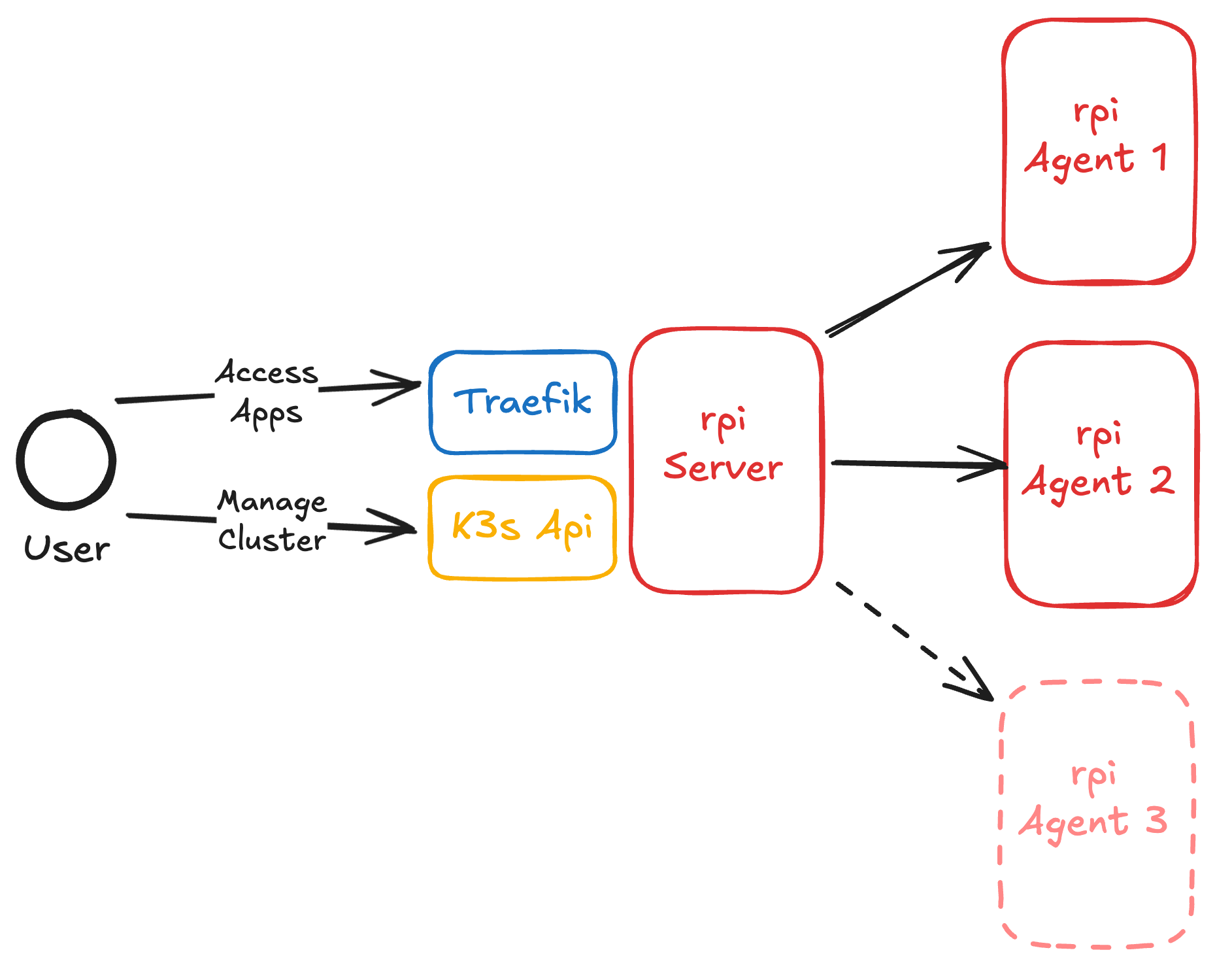
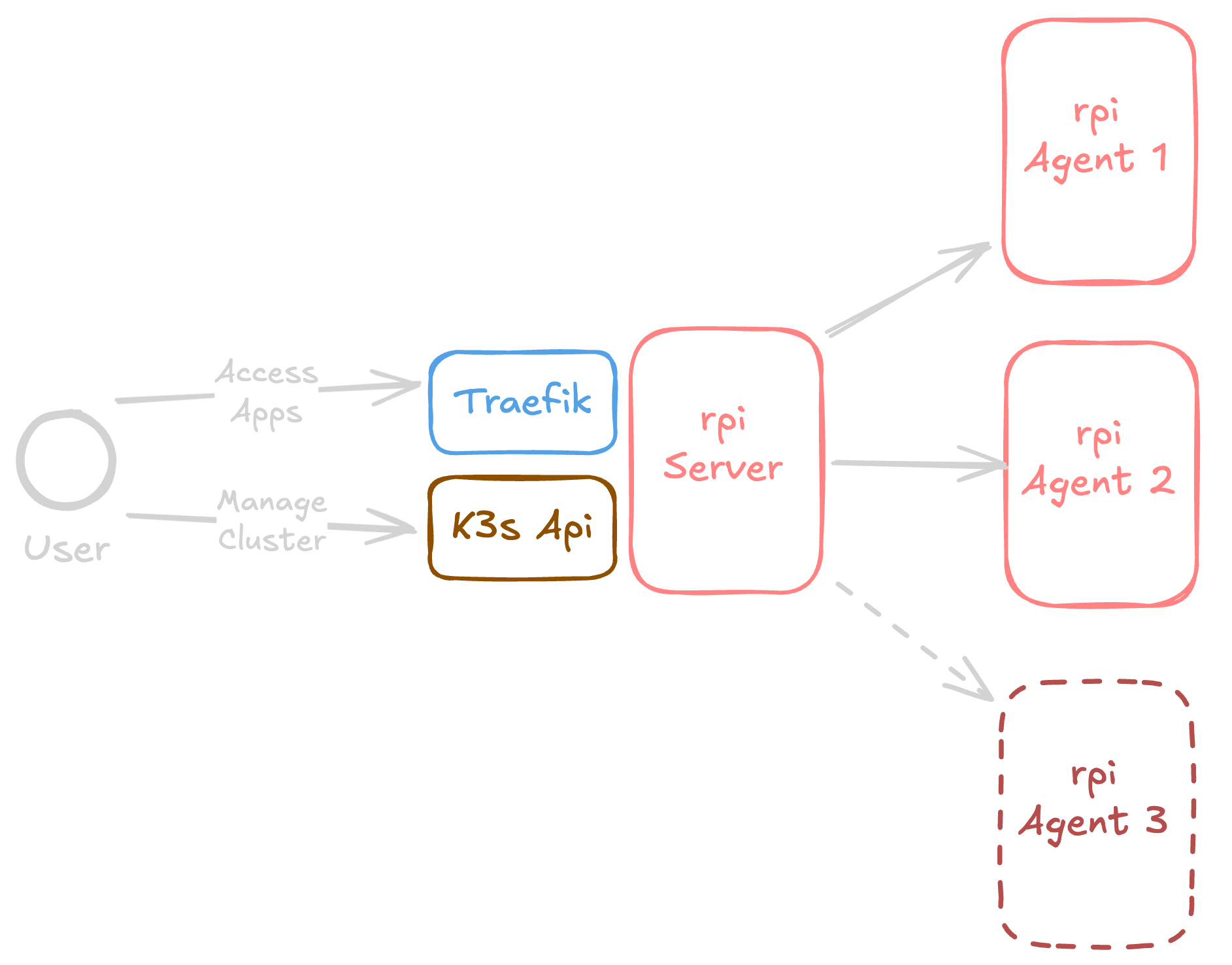 I have one node as the **server and two agent nodes** (potentially three after I connect the last Pi).
Each node has a fixed IP address inside my cluster network, as mentioned in the [networking](/pages/architecture/networking) section of my documentation, ensuring my cluster behaves consistently across different locations such as home and workplace.
I have one node as the **server and two agent nodes** (potentially three after I connect the last Pi).
Each node has a fixed IP address inside my cluster network, as mentioned in the [networking](/pages/architecture/networking) section of my documentation, ensuring my cluster behaves consistently across different locations such as home and workplace.